Zipic - Effortless Image Compression Tool
Zipic - 高效图像压缩工具,保持图像质量的同时减小文件大小。支持JPEG、PNG、WebP等多种格式,拖放操作,简单易用。理想的照片、网页图片和设计资产优化工具。
What it is
Zipic is a native macOS application designed for compressing image files while minimizing quality loss. It serves users who need to reduce image file sizes for purposes like web content, presentations, or efficient storage. The tool is targeted at a broad user base, including developers, designers, bloggers, and photographers.
Main Features
Core Compression
- High compression ratio with minimal, often near-lossless, quality degradation
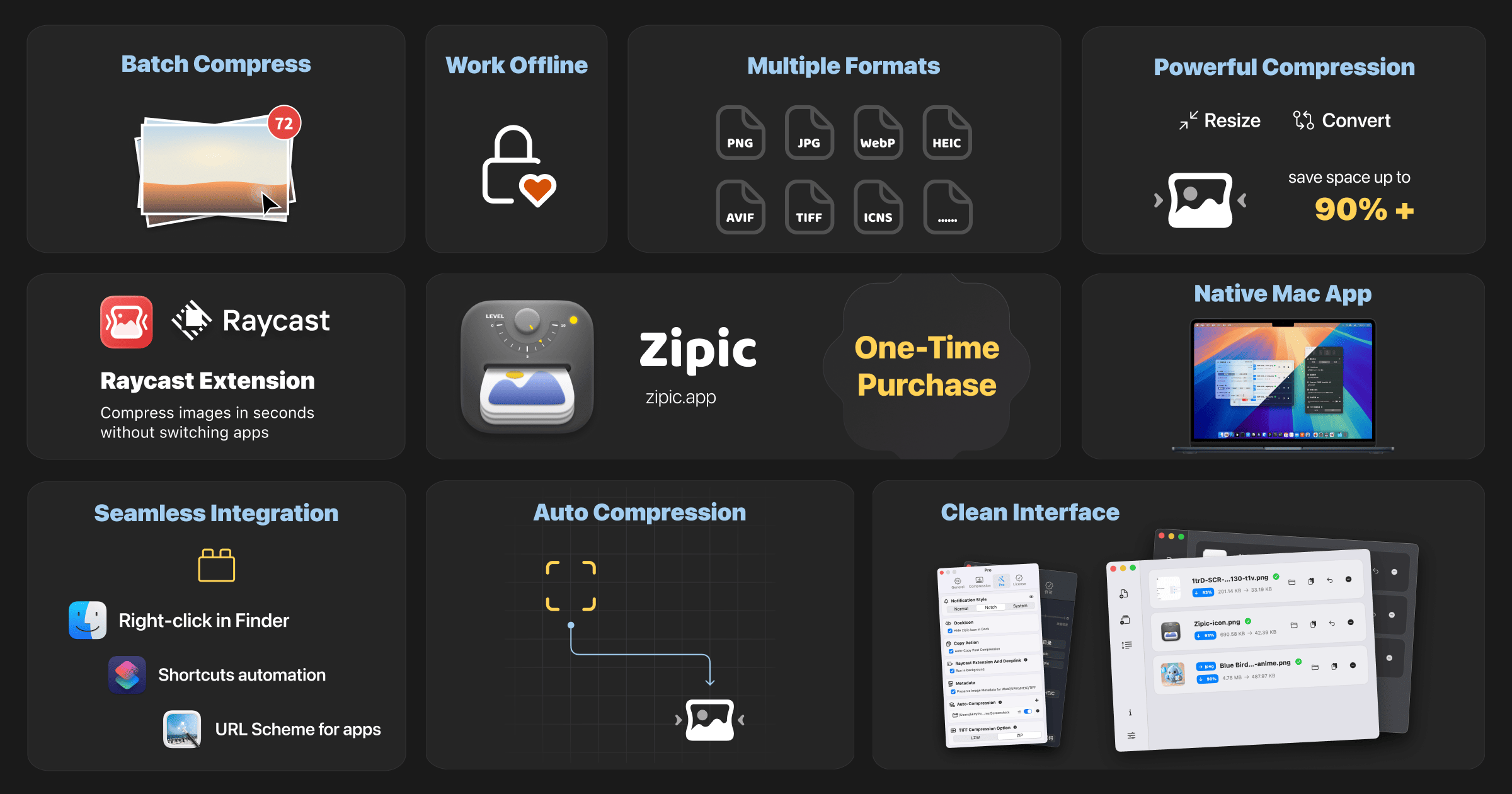
- Batch processing capability for handling single or thousands of images simultaneously
- Support for multiple formats: JPEG, PNG, WebP, HEIC, AVIF, TIFF, and ICNS
Usability & Integration
- Multiple input methods: drag-and-drop, hotkeys, right-click in Finder, and menu bar access
- Auto-watch folders that compress new images based on custom rules (Pro feature)
- Integration with Raycast extension and Apple Shortcuts for workflow automation
Privacy & Performance
- Local processing: All compression occurs on the user's device with no network transmission
- Native macOS application built for performance, ensuring smooth operation even with large batches
- Lightweight design with a minimal system footprint
Pro Features
- Advanced controls: Custom notifications, hidden Dock icon, and metadata preservation
- API Integration via DeepLink, allowing third-party apps to utilize its compression engine
- Additional format conversion options and automation tools
How it works
Basic Compression
Users can drag and drop images or folders directly into the Zipic main window. The app processes them instantly using the selected compression level, outputting files that are significantly smaller but visually similar.
Automated Workflow
For Pro users, setting up a watched folder allows for hands-free operation. Any new image added to that folder is automatically compressed according to pre-defined rules, streamlining workflows for content creation or web development.
Finder Integration
Users can right-click on image files directly within the macOS Finder and select Zipic from the context menu to compress them in place, eliminating the need to open the main application.
Raycast Extension
By using the Raycast extension, users can initiate compression through a keyboard shortcut, search for the Zipic command, and compress images without switching contexts.
Key Points
- The compression process is executed entirely locally on the device, ensuring user privacy and data security.
- It achieves high compression ratios; an example provided shows a reduction from 403KB to 108KB with level 3 compression while preserving the original resolution.
- The application is optimized for macOS and Apple Silicon, providing a native and responsive user experience.
- A free tier is available with a limit of 25 compressions per day, allowing users to test its capabilities.
Additional Details
- Pricing: The service uses a one-time purchase model. The Free plan offers 25 daily compressions. The Personal license is $19.99 for use on 2 devices. The Team license is $79.99 for 10 devices.
- System Requirements: Requires macOS 12.0 (Monterey) or later. A Windows version is noted as coming soon.
- Support: User support is offered via email (zipic@5km.tech) and extensive online documentation.
- Availability: The application can be downloaded directly from its official website.