Railway | The all-in-one intelligent cloud provider
Railway is a full-stack cloud for deploying web apps, servers, databases, and more with automatic scaling, monitoring, and security.
Created Aug 29, 2025
Updated May 30, 2026
What it is
Railway is an all-in-one intelligent cloud platform designed for deploying, managing, and scaling applications and databases. It targets developers and teams who want a streamlined alternative to traditional cloud providers, offering automated infrastructure provisioning, zero-configuration deployments, and built-in observability. The platform supports a wide range of tech stacks and enables rapid setup of full-stack projects, microservices, and databases.
Main Features
Deployment and Hosting
- One-click deployment from GitHub repositories, templates, or Docker images.
- Automatic detection of project type (Node.js, Python, etc.) with Railpack build system.
- Support for static sites, serverless functions, and full stack applications.
- Instant preview environments for every pull request.
- One-click rollback to any previous deployment version.
Infrastructure and Networking
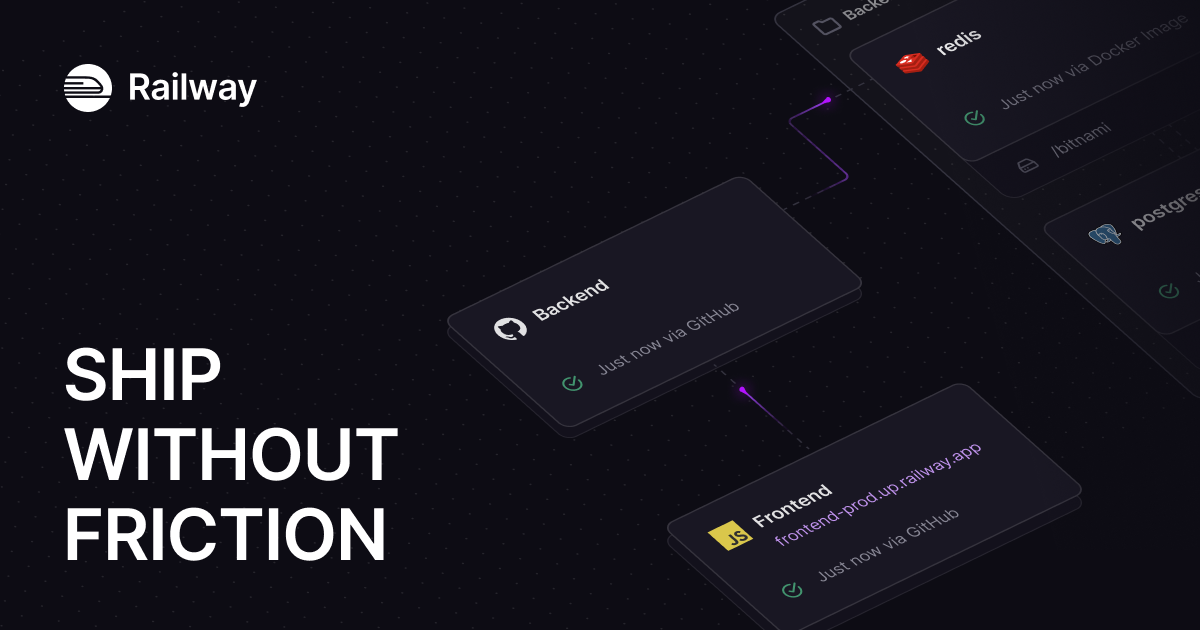
- Visual infrastructure canvas showing all services, connections, and status at a glance.
- Automatic private networking (100 Gbps internal) with no VPC configuration needed.
- Built-in SSL, load balancing, and endpoint management.
- Protocol detection for HTTP, TCP, gRPC, and WebSockets.
Scaling and Performance
- Vertical scaling (CPU/RAM) and horizontal scaling (replicas with load balancing).
- Global distribution to run applications closer to users.
- Automated scaling based on traffic or custom conditions.
Observability and Monitoring
- Unified dashboard with metrics for CPU, memory, disk, network egress, and error rates.
- Customizable alerts via Slack, Discord, or email.
- Centralized log viewer with filtering and search across all services.
- Built-in error tracking with stack traces.
Development and Collaboration
- Unlimited environments (production, staging, development, PR previews).
- Environment variables and secrets management.
- Team collaboration with per-service access control.
- CLI and API for programmatic management.
How it works
Deploying an Application from GitHub
- Connect a GitHub repository to a Railway project.
- Railway automatically detects the runtime and build configuration (e.g., Node.js, bun).
- The platform builds the application using Railpack, installs dependencies, and runs the start command.
- A public URL is generated, and the service becomes available with automatic SSL and load balancing.
- Logs, metrics, and status are visible in real-time from the dashboard.
Using Templates and Databases
- Users can deploy pre-configured templates (e.g., PostgreSQL, Redis, MongoDB, Metabase) with a single click.
- Database services are automatically networked with other services in the same project.
- Volumes can be attached for persistent data storage.
Managing Environments and Previews
- Each Git branch or pull request can be linked to an independent environment.
- Railway automatically spins up a preview deployment for every PR, providing a unique URL.
- Developers can promote an environment (e.g., staging → production) or rollback instantly.
Key Points
- Zero-configuration approach: Railway reads code and sets appropriate settings automatically; YAML configuration is optional.
- Unified dashboard: All services, metrics, logs, and networking are visible from a single interface.
- Hard spending limits: Users can set absolute cost caps (noted by community).
- Integrated monitoring: Logs, metrics, and alerts are available from the moment of deployment without additional tooling.
- Alternative to Heroku, Render, Fly.io, Vercel: Railway positions itself as a comprehensive cloud provider with comparable or expanded capabilities.
- Trusted by 2M+ developers and cited by teams like Bilt, G2X, and Mappa.
Additional Details
- Pricing: Not explicitly detailed on the page, but there is a dedicated pricing page and a startup program; hard spending limits are a noted feature.
- Integrations: GitHub, GitLab (inferred), Docker, CLI, and API. Supports templates for common databases (PostgreSQL, Redis, MongoDB, MySQL).
- Build system: Uses Railpack (version 0.15.1 shown) for automated detection and building; supports custom Dockerfiles.
- Infrastructure: Runs on self-owned Metal builders and cloud infrastructure; offers global deployment regions.
- Availability: All systems operational indicated; status page linked.
- Compliance: DPAs, acceptable use policy, privacy policy, terms of service, enterprise agreement, and bug bounty program listed.
Quick Actions
Table of Contents