Typefully: Best social media tool for creators & businesses
Create, schedule, and publish social media posts on X (Twitter), LinkedIn, Threads, Bluesky, and more. Grow faster with analytics, tools and automations.
What it is
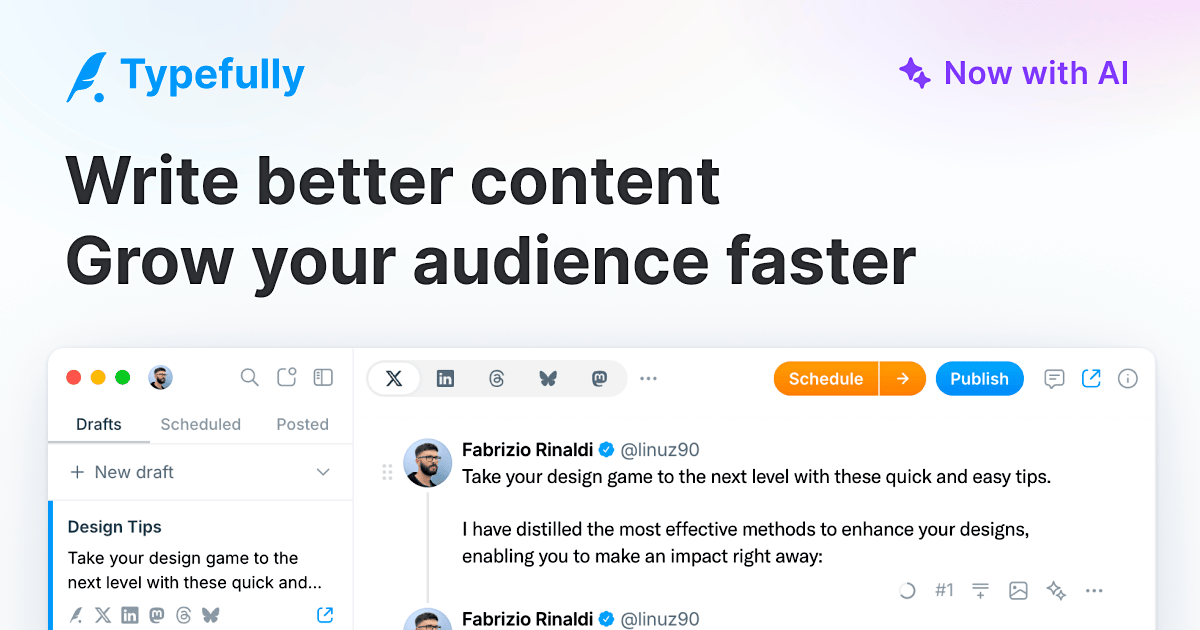
Typefully is an AI-powered social media management tool designed for creators and businesses. It facilitates the drafting, scheduling, publishing, and analysis of content across multiple social platforms, including X (Twitter), LinkedIn, Bluesky, Threads, and Mastodon. The platform is built to help users build an audience and grow their social media presence more effectively.
Main Features
Content Creation & Enhancement
- AI-powered rewriting and improvement of text
- Grammar fixing and writing enhancement tools
- Emoji insertion via text shortcuts (e.g.,
:alias) - Drag-and-drop functionality for images and videos
- Thread Finisher tool for completing content threads
- Auto-split text for optimal post length
Scheduling & Publishing
- Cross-platform publishing to X, LinkedIn, Bluesky, Threads, and Mastodon
- Social media scheduler for planning content
- Calendar view for visualizing post queues
- Pixel-perfect realistic previews of posts before publishing
Collaboration & Organization
- Shared drafts for team collaboration
- Commenting system for feedback on drafts
- Organizational tools including tags and pinned drafts
- Multiple account connectivity
Growth & Analytics
- Powerful engagement analytics to track performance
- Automated engagement features including retweets and automatic replies
- Auto-DM system for creating giveaways based on engagement
- AI-generated prompts and popular tweet examples to inspire content
Additional Utilities
- Command Bar for quick access to commands and features
- Dark Mode interface
- Keyboard shortcuts (e.g., ⌘J on Mac or Ctrl+J on Windows)
- Automatic backups of content
- Ability to turn social posts into shareable blog pages
How it works
Drafting and Refining Content
Users create new drafts within the editor. They can type content directly, paste tweet links to quote them, or use AI tools to rewrite and improve selected text. The platform provides a realistic preview of how the post will appear once published.
Scheduling and Cross-Platform Publishing
Users can schedule posts for future publication. The tool allows for simultaneous publishing to multiple supported social networks (X, LinkedIn, Bluesky, Threads, Mastodon), streamlining the distribution process.
Team Collaboration
Teammates can share drafts, leave comments for feedback, and collaboratively edit content. This is particularly useful for businesses and creators working with assistants or teams.
Analyzing and Automating Engagement
After posting, users review analytics to track engagement and improve future content strategy. They can set up automated replies and retweets to boost post reach and use the Auto-DM feature to run giveaways by automatically sending direct messages to users who engage with specific tweets.
Key Points
- The platform is positioned as an investment for long-term audience growth, emphasizing the compound benefits of building an online presence.
- It integrates AI deeply into the writing process for ideation, rewriting, and improvement.
- A key advantage is the ability to manage content for multiple social platforms from a single dashboard.
- The tool offers realistic previews, ensuring users know exactly how a post will look before it is published.
- It is trusted by a wide range of users, from individual creators to large companies and Fortune 500 brands.
Additional Details
- Pricing: A free plan is available to get started. Paid plans with additional features are offered.
- Sign-up: Users can sign up or log in using Google, X/Twitter, LinkedIn, or an email address.
- User Base: The service is used by over 220,000 creators and companies.
- Platform Support: Publishes to X (Twitter), LinkedIn, Bluesky, Threads, and Mastodon.
- Accessibility: Includes keyboard shortcuts and a Command Bar for efficient navigation.